Raycast Extension is now live!
TheAItoolinglayerforAgentsonAlgorand
55+ MCP tools. One-click install. Ship Algorand agents in seconds.
Open-source, MIT licensed, and focused on powering developer workflows while we finalize mainnet support.
TRUSTED BY LEADING TEAMS
Problem
Algorand tooling is scattered across CLIs, docs, and UI plugins.
Fragmented tooling
Developers juggle faucets, SDK scripts, explorers, and docs whenever they need to test an Algorand idea.
Manual wallet handling
Copying mnemonics between terminals, AI assistants, and Raycast exposes secrets and slows down delivery.
No shared interface
Humans live in Raycast while AI agents speak MCP. Keeping both environments in sync is tedious and error-prone.
Solution
One toolkit for MCP agents and Raycast power users
Spin up the MCP server for AI assistants, and enable the Raycast extension for humans with zero extra setup—both pointed at the same secure Algorand stack.
Unified MCP command surface
Expose 55+ Algorand-native tools to VS Code, Claude, Cursor, or any MCP client—wallets, swaps, docs search, ARC-26, and more.
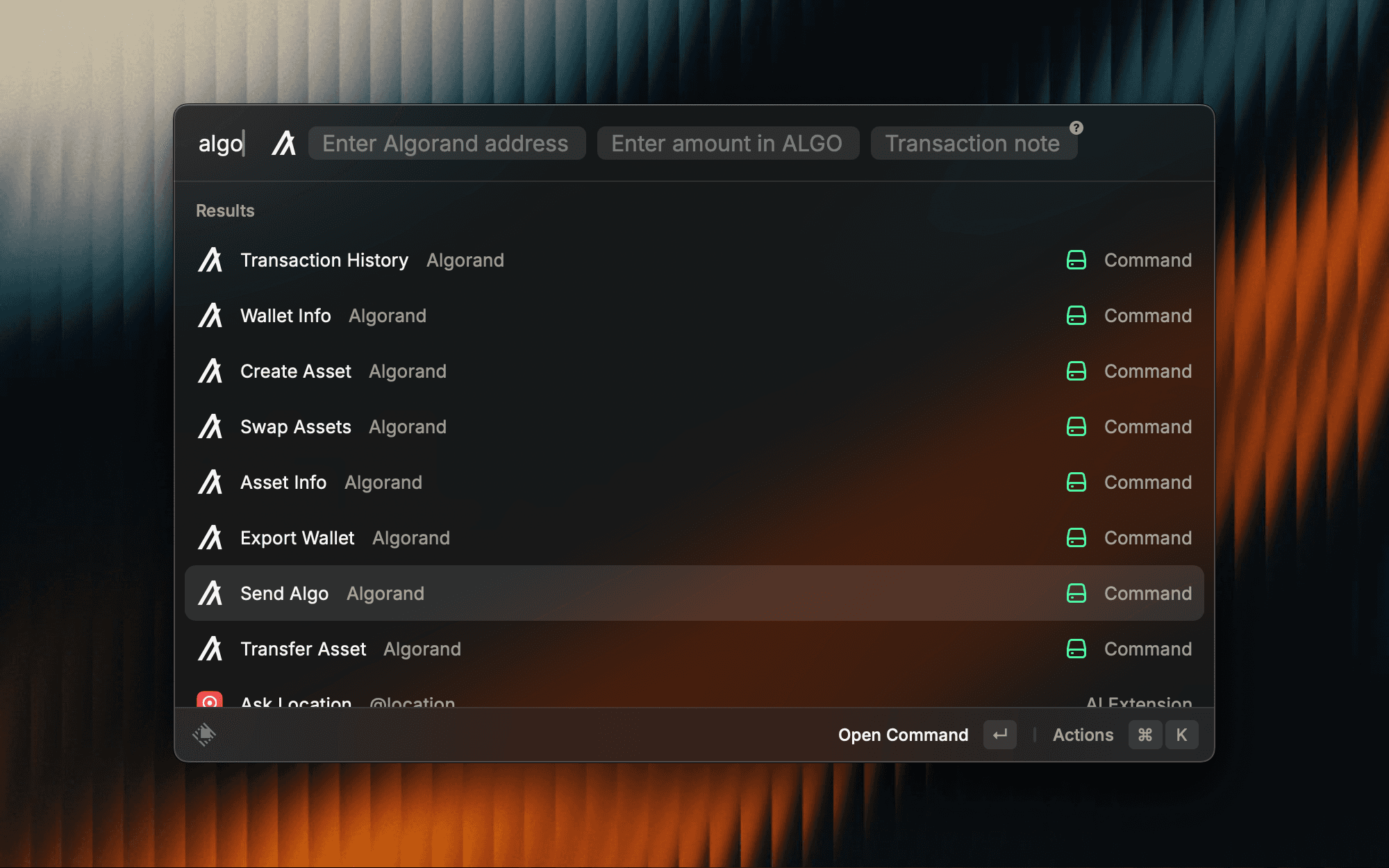
Raycast-native control room
Launch wallets, swaps, ASAs, and portfolio views directly from the macOS menu bar with keyboard-first navigation.
Hardened security defaults
AES-256-GCM encryption, testnet-first envs, and Zod validation keep mnemonics safe and payloads sane before they reach Algorand RPCs.
Swap-ready architecture
Pera Swap SDK orchestration with Tinyman/Vestige aggregation, slippage controls, and AlgoExplorer deep links.
How it works
Just 3 steps to get started
Features
Everything you need in one Algorand toolkit
Installation
One-Click Setup for Cursor, Claude & Raycast
Get started in seconds with our MCP server or Raycast extension. Choose your preferred tool and install instantly.
Cursor IDE
Install the Algorand MCP server in Cursor IDE
{
  "mcpServers": {
    "algorand-mcp": {
      "url": "https://server.smithery.ai/@hatif03/algorand-mcp/mcp"
    }
  }
}
Quick Steps:
- 1Click 'Add to Cursor' below
- 2Cursor will open and prompt you to install
- 3Confirm the installation
- 4Start using 55+ Algorand tools!
Claude Desktop
Install the Algorand MCP server in Claude Desktop
{
  "mcpServers": {
    "algorand-mcp": {
      "url": "https://server.smithery.ai/@hatif03/algorand-mcp/mcp"
    }
  }
}
Quick Steps:
- 1Click 'Add to Claude Desktop' below
- 2Config copied to clipboard & Claude Desktop will open
- 3Paste config into Settings → Developer → Edit Config
- 4Restart Claude Desktop to activate
Raycast
Native macOS toolbar integration for Algorand
Features:
- Wallet management & balance checks
- Token swaps with Pera integration
- ASA creation & management
- Testnet faucet & transaction history

Click to install from the Raycast Store
MCP Server URL: https://server.smithery.ai/@hatif03/algorand-mcp/mcp